Your Wi-Fi Is Slower Than It Should Be—These 4 Router Settings Can Fix It in Minutes
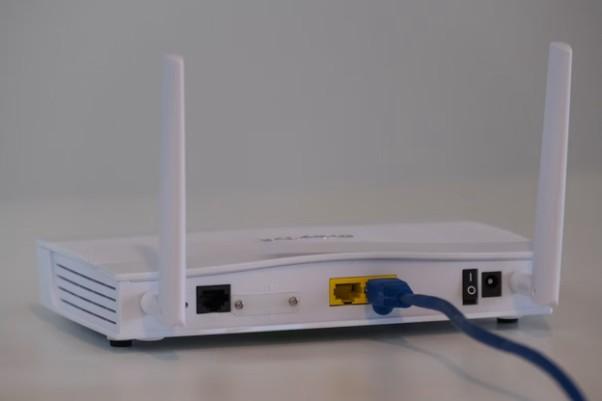
While most users set up a Wi-Fi router and configure their gadgets without checking their settings ever again, modern routers perform quite well in default setup. However, a couple of changes will do wonders for coverage and performance of your network. As per the How-To Geek advice, there are four settings that you should consider changing to enhance the experience.
Choose the Right Wi-Fi Band for Your Devices
The modern-day router broadcasts two frequencies of wireless bands, namely 2.4 GHz and 5 GHz. These frequencies play different roles.
The 2.4 GHz frequency can reach larger distances and penetrate walls better, hence it is appropriate for devices that are at a distance from the router. Its main disadvantage is congestion since there are many devices that use this same frequency.
The 5 GHz frequency ensures fast speed and low latency; therefore, it is best for streaming, online games, and video calls. Its main disadvantage is its short reach.
Users are supposed to attach their devices depending on what they need. Devices closer to the router have a good connection at the 5 GHz frequency; however, devices far away can benefit from the 2.4 GHz frequency.
Enable WPA3 Security Whenever Possible
Security is also as important as speed. In case the router offers WPA3 encryption capability, using it may increase security by decreasing any chances of unwanted access while offering good wireless capabilities.
Old security protocols like WEP or WPA are outdated and much less secure than newer ones. Currently WPA2 is widely used, but there is another one which adds an extra layer of security – WPA3.
Users must be sure whether their device supports WPA3 before switching to this protocol. In case of having some outdated devices, routers provide WPA2/WPA3 combined security protocol.
Adjust Channel Width for Better Performance
The width of the channel dictates the amount of wireless bandwidth that will be used by the router. While wider channels will offer increased speed, they will also be prone to interference from other nearby Wi-Fi networks.
When there are many wireless networks in an area, such as in a high density apartment building or neighborhood, narrower channels will make for better connections. On the other hand, where there is no interference, wider channels are beneficial.
This is a configurable parameter on most routers; either by the user or automatically. Testing various configurations will lead to the optimum choice.
Keep Router Firmware Up to Date
The companies behind router development always come up with updates to their routers, which enhance performance, fix problems, and plug security holes in their routers.
As opposed to cell phones or computers, most routers usually do not inform their users about the availability of updates to their software. Therefore, most routers can work on old software for several years.
Regular update checking of your router's firmware every couple of months ensures efficient operation of your router and security from new security threats.
Small Changes Can Deliver Big Improvements
There is no need to purchase a new router or subscribe to a more expensive internet connection in order to enhance the performance of Wi-Fi. Selecting the proper wireless band, using secure settings, managing the width of channels and updating firmware are some basic steps that could help.
In most cases, such changes would be made within a couple of minutes and could yield a better internet experience for the family members.
Business News
Tyson Foods Shakes Up Its Beef Business: These Major Plant Closures Could Change Everything
From Army Veteran to Award-Winning Entrepreneur: Danielle King’s Inspiring Rise to Success
Amazon Business Hits $60 Billion, How Agentic AI Is Revolutionizing B2B Procurement
How Community Bank Delaware’s $1,000 Donation Is Strengthening the Future of Lewes Firefighters
Autodesk Just Launched a Game-Changing Program Every Small Business Should Know About